Your learners are scrolling TikTok for hours but abandoning your LearnDash courses after five minutes. The content is not the problem — the format is.
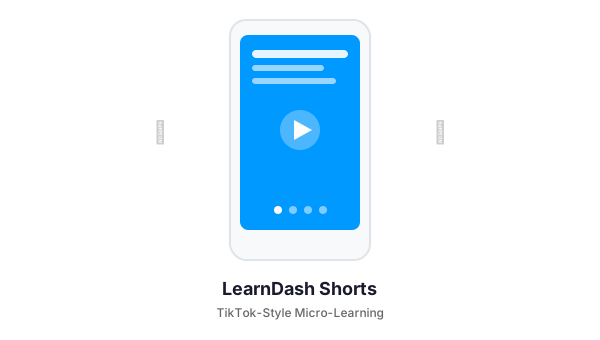
LearnDash Shorts converts your existing lessons into mobile-first, tap-to-advance “stories” — the same micro-content format that keeps people glued to Instagram and TikTok. Completion rates go up because the experience finally matches how people actually consume content on their phones.
What It Does
Shorts takes your LearnDash lessons, topics, or standalone content and presents them as swipeable card decks. Learners tap through bite-sized text cards, quiz cards, video cards, and image cards — one concept at a time, at their own pace. It works on any device but is designed phone-first.
Key Features
Tap-to-Advance Stories Interface
A mobile-first UI built for thumb navigation. Learners tap or swipe to progress through cards. Progress indicators show how far they have come. Navigation arrows work on both mobile and desktop. The experience feels native — not like a clunky LMS page.
Multiple Card Types
Text cards for concepts and explanations. Quiz cards with multiple choice, true/false, or mixed formats. Video cards that embed YouTube or Vimeo with optional playback enforcement. Image cards with titles and captions. Mix and match card types within a single deck.
AI Content Generation
Connect OpenAI or Claude (Anthropic) and generate entire card decks from your lesson text with one click. Configure how many text cards, how many quiz cards, and what quiz format you prefer. The AI respects character limits per field (90 characters for titles, 320 for content, 180 for quiz questions) so cards stay readable on mobile screens.
Video Enforcement
Require learners to watch the full video before advancing to the next card. The system detects video duration and locks navigation until playback completes. A customizable lock message tells learners why they cannot skip ahead. No more scrubbing to the end.
xAPI Learning Analytics
Every interaction — card views, quiz answers, video watches, deck completions — is logged to an xAPI-standard analytics table. Track what learners engage with, where they drop off, and which quiz questions they struggle with. Data auto-purges after 180 days (configurable) to keep your database lean.
Smart Completion Gating
Choose when LearnDash marks the lesson complete: after the learner finishes the deck, after they pass the final quiz, or immediately when they open the deck. Flexible gating lets you balance engagement requirements with learner autonomy.
Full Theme Customization
Light mode, dark mode, gradient backgrounds, custom brand colors, custom heading and body fonts, adjustable text sizes. Set defaults globally and override per deck. Your Shorts match your brand, not a generic template.
Works Everywhere
Use Shorts on LearnDash lessons, topics, regular WordPress pages, or blog posts. Create standalone “deck” posts for micro-courses that live outside your LMS structure. Embed with shortcodes () or Gutenberg blocks.
Who It Is For
- Course creators who want to modernize existing LearnDash content without rebuilding from scratch
- Corporate L&D teams training mobile-first or remote workforces
- Compliance training programs that need high completion rates on mandatory content
- Higher education instructors seeing low engagement on traditional course formats
Requirements
- WordPress 5.8+
- LearnDash LMS (for lesson integration; optional for standalone decks)
- PHP 7.4+
- Optional: OpenAI or Claude API key for AI content generation
Get Started
If your completion rates are flat and your learners live on their phones, Shorts is the fastest way to meet them where they are. Contact us to learn more or request a demo.
Need a Custom LearnDash Solution?
We build WordPress plugins and integrations for LearnDash-powered training platforms. Let us know what you need — from custom reporting to mobile app bridges.