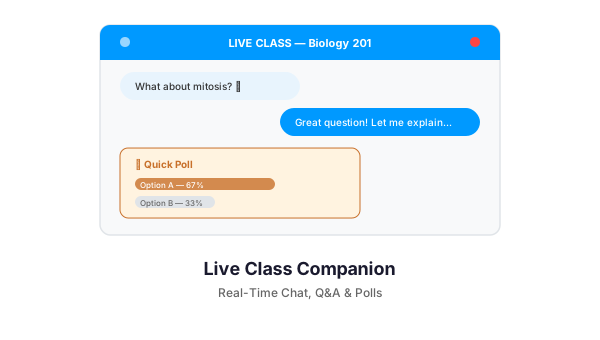
Running a live virtual class on WordPress and need more than just a video feed? Live Class Companion adds real-time chat, Q&A, and polls directly to any page — no Zoom, no third-party platforms, no monthly subscriptions.
It is a lightweight, page-specific engagement layer that gives instructors the tools they need to keep students active and accountable during live sessions.
What It Does
Attach a live engagement panel to any WordPress page or LearnDash lesson. When you start a session, students see a sidebar with support chat, a Q&A inbox, and live polls. When the session ends, the panel closes. No residual clutter.
Key Features
Real-Time Support Chat
A moderated chat stream where students can ask questions and instructors can respond in real time. Messages flow through Pusher (for production-grade WebSocket speed) or Server-Sent Events (for simpler setups), with polling as a fallback. Moderation controls let instructors manage the conversation.
Live Q&A System
Students submit questions to a structured Q&A inbox. Instructors see incoming questions in a queue, can prioritize them, and respond on their own timeline. Unlike chat, Q&A keeps questions organized and prevents important questions from getting buried in a message stream.
Real-Time Polls
Launch polls during class and see results update live. Use them for comprehension checks, opinion surveys, or quick votes. Results display instantly so instructors can adjust their teaching on the fly.
Check-In / Attendance Tracking
Optional attendance capture that records who showed up and when. Students identify themselves at the start of the session. Useful for compliance training where attendance documentation is required.
Session Scheduling
Schedule sessions to auto-start and auto-end. The engagement panel activates at the scheduled time and deactivates when the session ends — no manual toggling required.
Page-Specific Sessions
Each session is tied to a specific page. Run different live classes on different pages simultaneously. Students on Page A see only Page A’s chat, questions, and polls. No cross-contamination.
Customizable Branding
Set your brand name, accent color, and button color. Position the panel on the left or right side of the screen. The experience matches your site, not a third-party tool.
Engagement Reporting
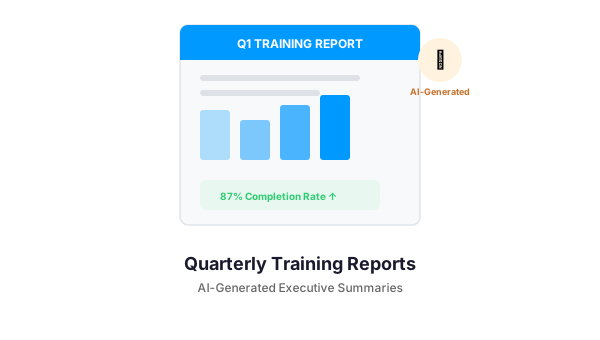
An advanced reporting dashboard shows engagement metrics per session: who participated, how many messages were sent, poll response rates, and Q&A activity. Use the data to improve future sessions.
Who It Is For
- Online instructors who want engagement tools without leaving WordPress
- Corporate trainers running live compliance or onboarding sessions
- LearnDash course creators who host live components alongside self-paced content
- Webinar hosts who want interactive audience participation without Zoom breakout rooms
Requirements
- WordPress 5.8+
- PHP 7.4+
- Optional: LearnDash (for course-specific sessions)
- Optional: Pusher account (for production-grade real-time; SSE available as fallback)
Get Started
If you are running live classes on WordPress and want more than a passive video stream, Live Class Companion gives you the engagement toolkit your students expect. Contact us to learn more.
Need a Custom LearnDash Solution?
We build WordPress plugins and integrations for LearnDash-powered training platforms. Let us know what you need — from custom reporting to mobile app bridges.