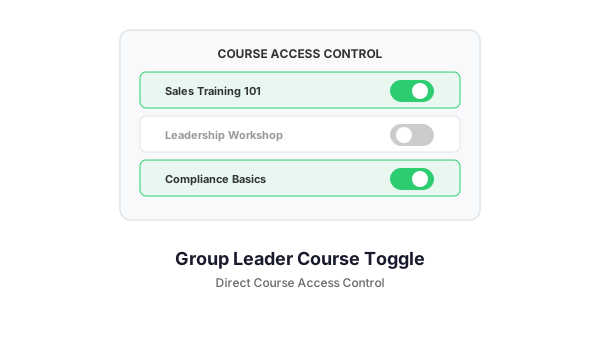
In a managed LearnDash environment, learners should not just browse the course catalog and enroll themselves. But emailing the group leader every time someone needs access to a new course does not scale. GLCT Access Requests adds a formal request-and-approval workflow so learners can self-serve while group leaders stay in control.
What It Does
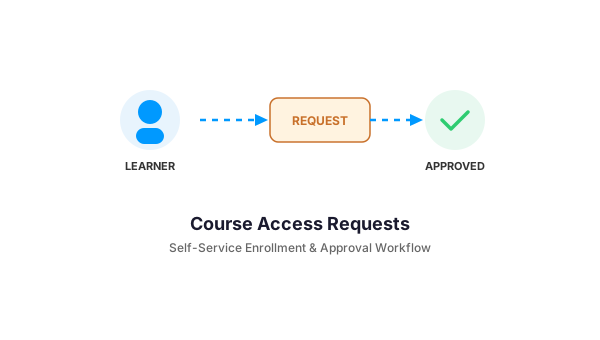
Learners click “Request Access” on any course. The request goes to their group leader’s inbox with a reason code. The group leader approves or denies with one click. The learner sees the status update in their dashboard. Everything is tracked.
Key Features
Learner Self-Service Portal
A “My Requests” dashboard where learners view all submitted requests, filter by status (pending, approved, denied), and track outcomes. No more wondering if the email got lost.
One-Click Approval Workflow
Group leaders see pending requests in their admin dashboard with approve and deny buttons. Each decision is logged with the approver’s name, timestamp, and optional reason. Quick modal actions let leaders process requests without navigating away from their dashboard.
Configurable Reason Codes
Customize the reasons learners can select when requesting access: “Required for role”, “Professional development”, “Manager recommended”, etc. Reason codes help group leaders prioritize and report on request patterns.
Email Notifications
Group leaders receive email alerts for new requests. Learners get notified when their request is approved or denied. No one has to check a dashboard to know something happened.
Dashboard Integration
A card on the group leader’s compliance dashboard shows pending request count at a glance — so nothing slips through the cracks.
Automatic Expiration
Stale requests auto-clean via scheduled checks. Requests that sit unanswered past a configurable window are flagged or removed, keeping the inbox relevant.
Requirements
- LearnDash LMS
- LearnDash Group Leader Course Toggle (GLCT) plugin
Get Started
If your group leaders are drowning in “can I get access to X?” emails, this add-on replaces the chaos with a clean workflow. Contact us to add it to your GLCT installation.
Need a Custom LearnDash Solution?
We build WordPress plugins and integrations for LearnDash-powered training platforms. Let us know what you need — from custom reporting to mobile app bridges.